Know what's in your parts drawers.
Partbench is an electronic parts catalog for the home lab. It shows how many of each part you have, where it lies, what a project is missing and where to buy it. It runs on Android phones and in the browser.
Who it's for
For people who keep a few hundred kinds of parts in drawers and boxes and can't remember whether a regulator is left.
The after-hours tinkerer
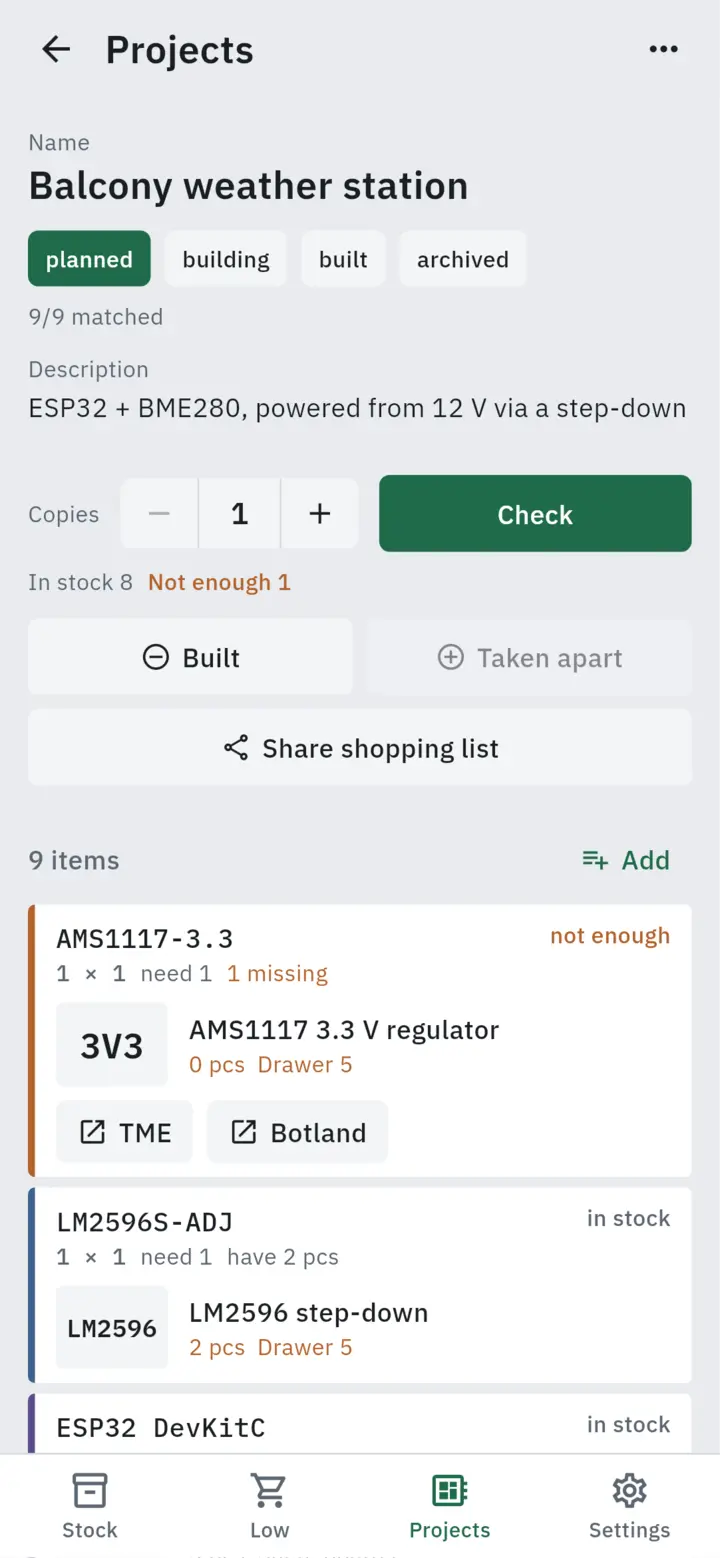
Sees whether every part is in stock before soldering starts.
Several projects at once
Each project has a bill of materials with stock and shop links.
The small workshop
The history shows which project the parts went into and where they came from.
From the box sticker to stock
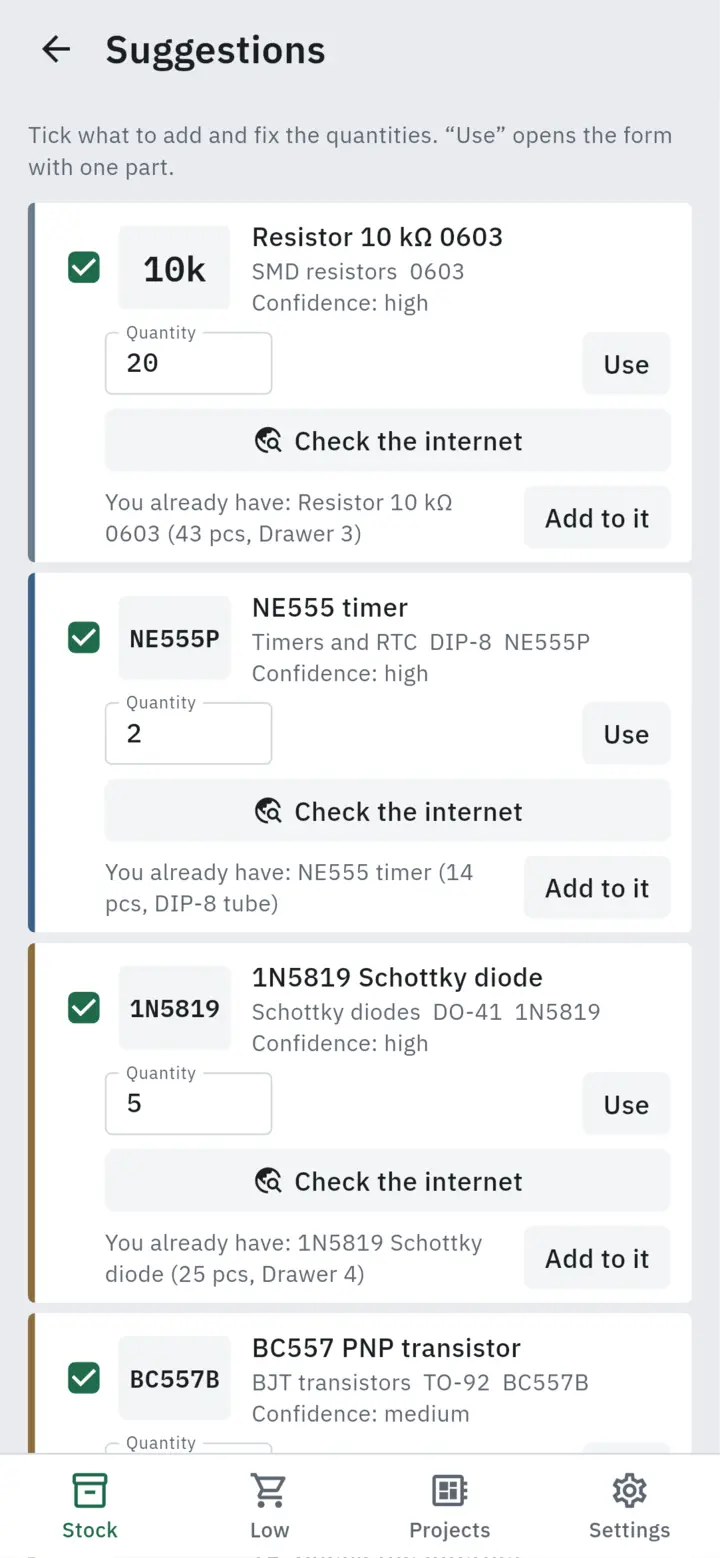
The model reads the markings and proposes parts. Only what you approve goes into the catalog.


The phone at the bench
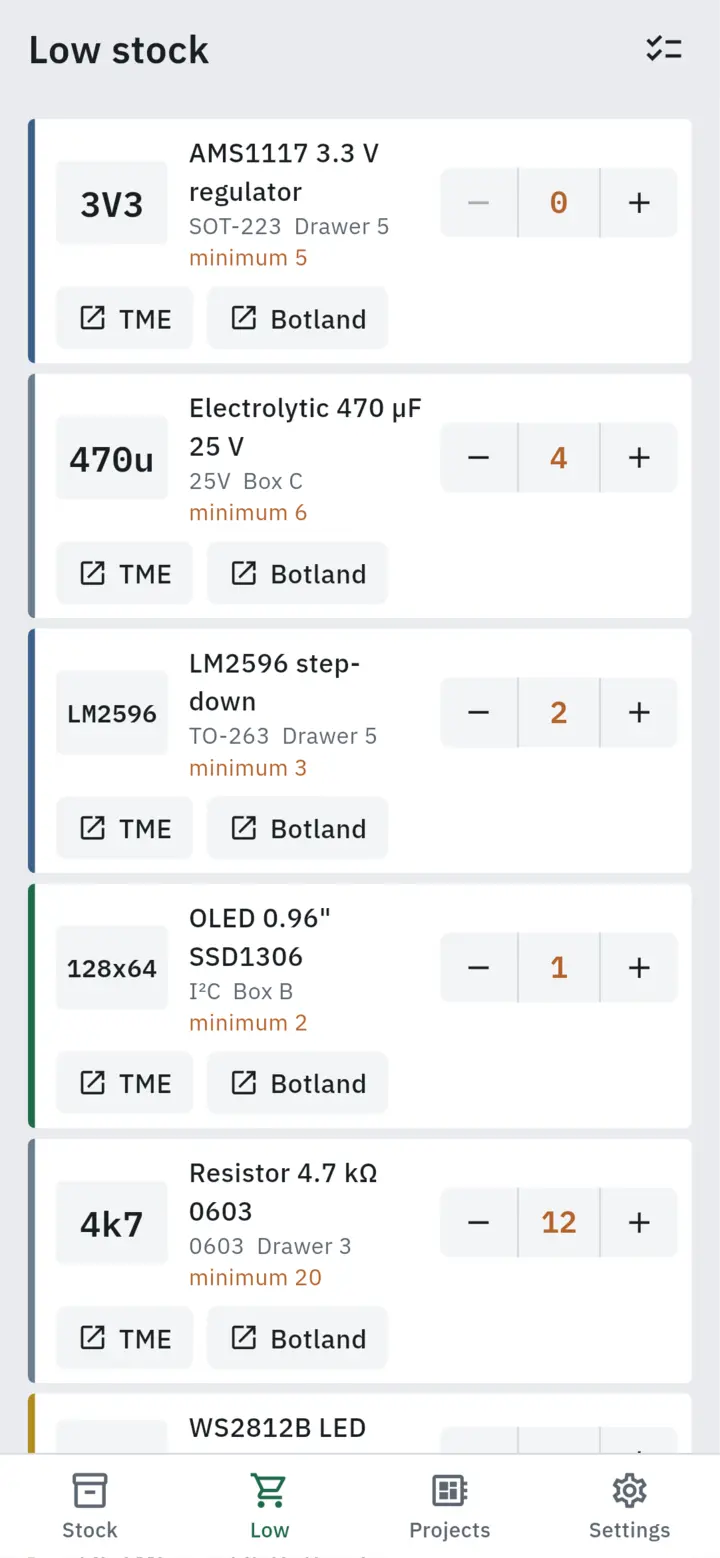
The Android app is the main tool: a part in one hand, the phone in the other.
What else it does
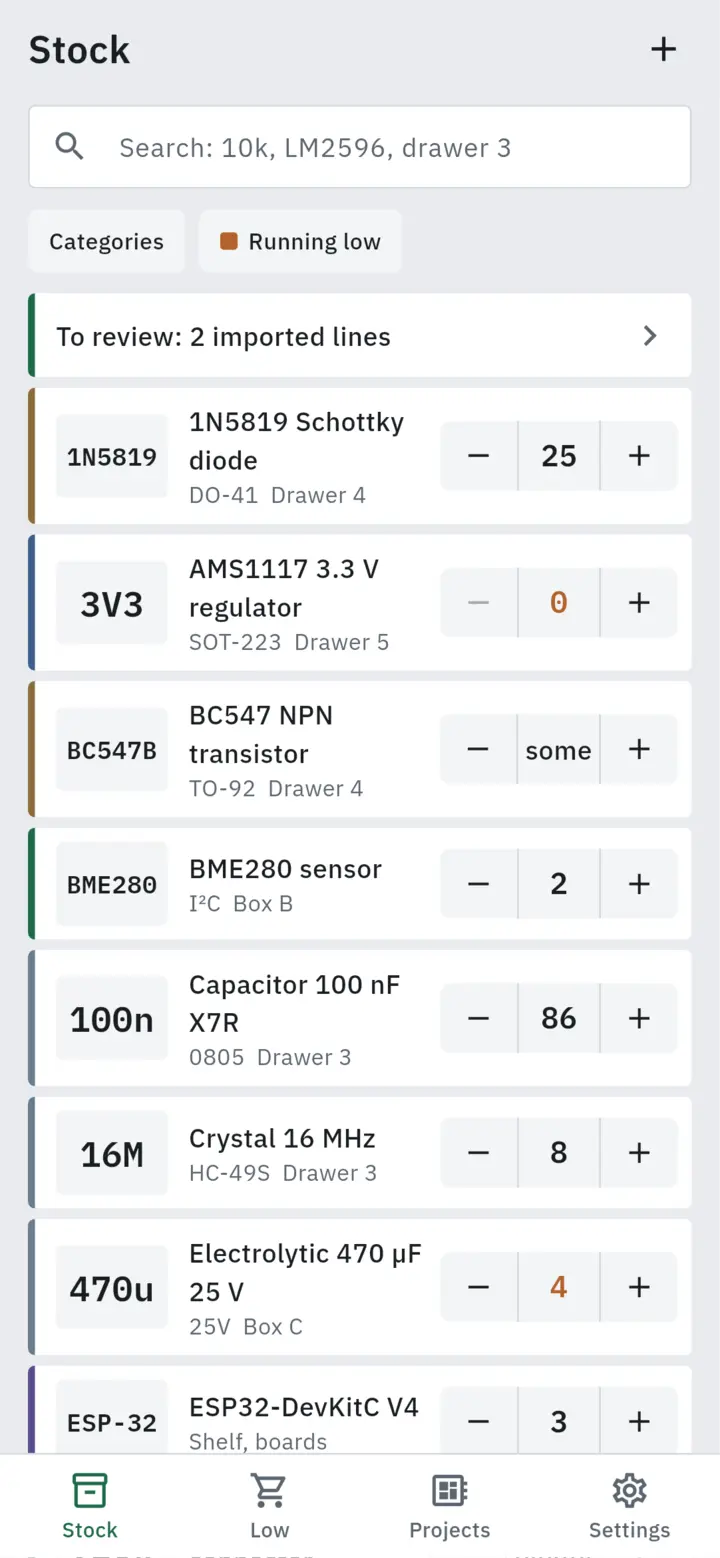
Each part looks like a drawer label: value, name, location and a counter.
Pieces or a level
Nobody counts pin headers. None, few, some or plenty is enough.
Location as plain text
"Drawer 3, compartment A". Search finds the LM2596 even when you type "LM2569".
Shops and the web
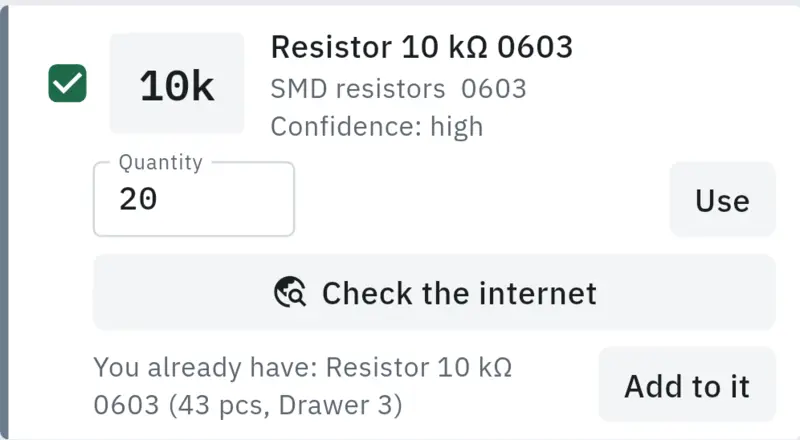
An unknown marking is checked against the TME catalogue, then the web, and the datasheet is filled in.
KiCad lists
Start a project from a KiCad or EasyEDA CSV, or from a pasted list.
Order import
Lines from TME, Botland or AliExpress go to a review list and are matched to what you have.
A history of every change
Date, difference, reason and source: phone, browser, API or an AI assistant.
The browser at the desk
The same catalog in a wider layout, handier for importing orders and setting up projects.

Paste a list, get the shortages
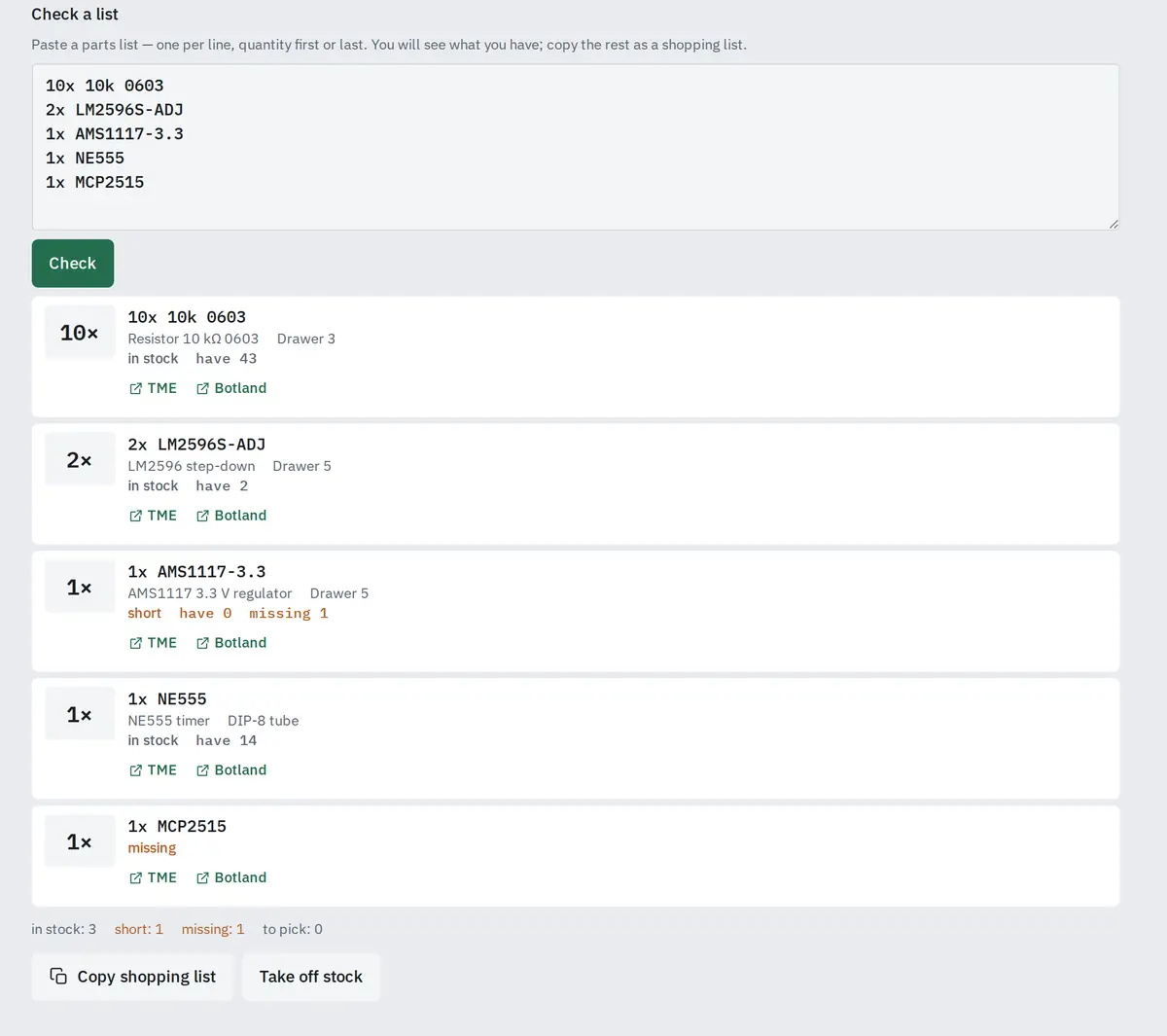
Five lines from a note: stock for each, TME and Botland links for what is missing, and a shopping list to copy at the end.
Ask Claude or ChatGPT what's in your drawers
Partbench has its own MCP server. Add it as a connector in claude.ai or ChatGPT, sign in and grant access. The assistant can then search the catalog, check a project, give purchase links or take parts off stock.
- claude.ai
- ChatGPT
- Claude Code
- Claude Desktop
- scripts with an API key
Sign-in uses OAuth 2.1 (PKCE, dynamic client registration). Read and write are separate permissions, and connected apps can be disconnected in settings.
- search_parts
- get_part
- list_low_stock
- check_bom
- check_project
- purchase_links
- lookup_part
- adjust_stock
- add_part
- build_project
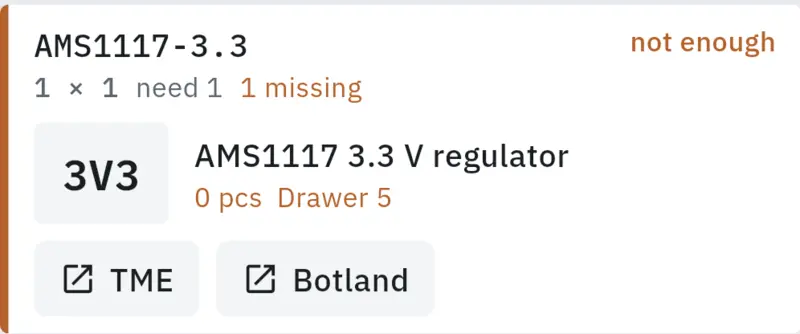
check_project { "project_id": "…" }
- AMS1117-3.3, you have 0, need 1.
adjust_stock { "op": "take", "n": 2 }
Principles
Three rules the code enforces, whoever changes the stock.
The model only proposes
Proposals from a photo, a description or an order are saved after you confirm them. "10k", "10 kΩ" and "10000" are reduced to one value by ordinary tested code.
Every change is logged
Stock never changes without a history record: when, by how much, why and from where.
Separate catalogs
Each catalog is isolated in the database. Passwords, sessions and API keys are stored only as hashes.
Partbench on Android and in the browser
Designed and built by two71: Flutter on the phone, React in the browser, a Go API and an MCP server. If you need a similar tool for your workshop, get in touch.